Admin tools are where product quality quietly wins or loses. A public landing page can look perfect, but if staff need to update hundreds of LMS records through brittle one-off screens, the operation still feels fragile.
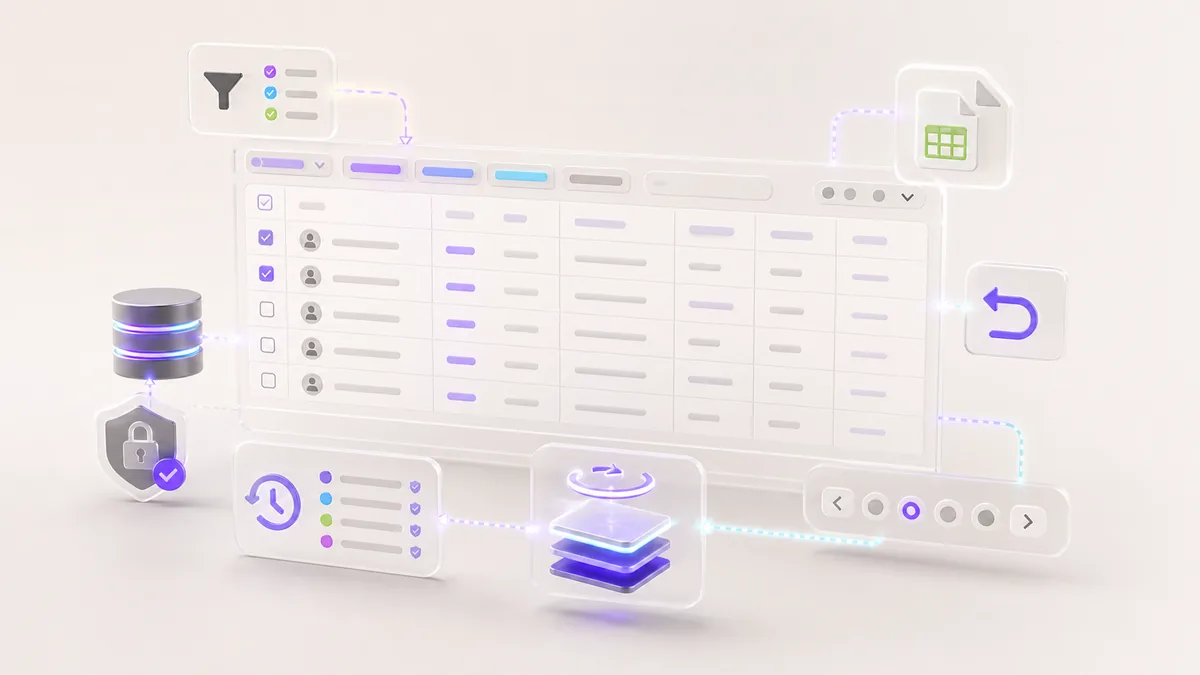
That was the May lesson from a private LMS operations pass: bulk editing is not just a table. It is a workflow that needs filters, pagination, export, reversible changes, and clear boundaries around sensitive records.
The useful public lesson is the operating pattern: make the working set deliberate, make impact visible before save, and keep sensitive learner data out of screenshots, exports, and public implementation notes.
For education and training platforms, this is why we treat custom web development as operational design, not just interface work.
The Problem With Naive Bulk Editing
The risky version of a bulk editor looks simple:
- load every record
- let admins edit cells inline
- save changes directly
- hope mistakes are rare
That approach works only when the data is small and low-stakes. LMS operations are rarely like that. Student records, payment states, enrollment progress, course access, and communication status all carry operational consequences.
The editor needs to help admins move quickly without making it easy to damage the dataset.
Filters Are Safety Controls
Filters are often treated as convenience. In a bulk editor, they are safety controls.
Useful filters include:
- created date
- enrollment state
- program or catalog scope
- verification status
- payment or funding state
- search by safe identifiers
The goal is to make the working set intentional. An admin should know exactly which records they are editing before any bulk action becomes available.
Pagination Prevents Accidental Scope
Pagination is not just performance optimization. It makes scope visible.
When a table loads thousands of records at once, admins lose confidence in what is selected. Paginated views create smaller review surfaces and make export or edit actions easier to reason about.
The interface should make selection state obvious:
- current page selected
- all filtered records selected
- no records selected
- unsaved changes present
Those states prevent a common mistake: editing more records than intended.
Export Before Risky Changes
CSV export can sound like a minor feature. In operations tooling, it is often the difference between a confident edit and a stressful one.
Before large changes, admins should be able to export the filtered view. That export becomes a review artifact, a backup reference, and a communication tool for the team.
The export should include only fields appropriate for the current admin role. Sensitive fields should not become downloadable simply because they appear somewhere in the database.
Bulk Actions Need Permission Boundaries
The safest bulk editor treats every large action as a permissioned workflow, not a bigger version of a single-record edit.
Before a bulk action runs, the app should confirm:
- the admin role is allowed to update that field
- the current filters are visible and easy to review
- the affected count is clear before save
- restricted fields stay read-only in exports and previews
- high-impact actions require an extra confirmation step
- every batch records who requested it and when
This protects both sides of the operation. Staff get speed, while the platform keeps a reviewable trail when something needs to be investigated.
Reversible Changes Are a Product Feature
The most important pattern is reversibility. A good bulk editor should make it possible to understand what changed and recover from mistakes.
That can mean:
- previewing changes before save
- storing change batches
- recording actor and timestamp
- supporting rollback for eligible fields
- requiring confirmation for high-impact updates
Not every field can be safely rolled back, but the system should be explicit about which changes are reversible and which are not.
Brand-Aware Copy Still Matters
For white-label LMS work, admin copy needs to follow the same brand and tenant rules as learner-facing screens. A bulk editor should not accidentally expose demo language, old school names, or internal labels.
That means operational tools need the same copy discipline as the public app:
- brand-aware labels
- tenant-safe messaging
- clear empty states
- no internal jargon when a plain phrase will do
Small language details reduce support friction.
Data Handling Boundaries
The safest way to discuss LMS operations publicly is to explain the workflow without exposing the dataset. A useful case study can show filters, permissions, audit trails, and rollback logic while keeping student records, institution labels, export columns, and deployment details out of public copy.
Review Checklist
Before shipping an LMS bulk editor, check:
- Can admins filter to a deliberate working set?
- Is pagination clear on desktop and mobile?
- Are exports scoped to the current role?
- Are unsaved changes visible?
- Does the save flow preview impact?
- Are high-risk edits reversible or clearly marked?
- Is the copy tenant-safe?
If the table helps people avoid mistakes, it is doing its job.
The Takeaway
Bulk admin tooling should be fast, but never casual. Filters, pagination, exports, audit trails, and rollback paths turn a risky spreadsheet-like screen into an operationally safe workflow.
May's lesson was that the best admin tools do not just let teams change data. They help teams change data carefully.
Keep the Thread Going
- Service path: Custom Web Development
- Related read: White-Label LMS Routing for Contract-Based Apps
- Related public work: INSIGHT
- Ready to scope your own version? Start a project