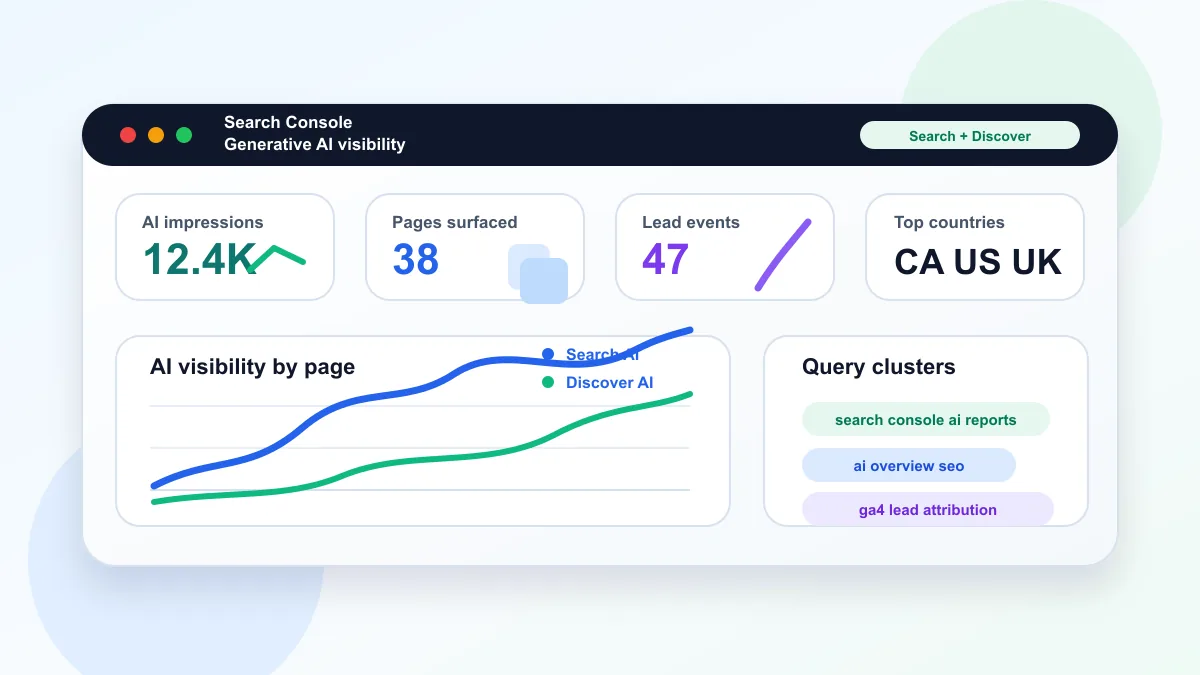
Google's Search Console generative AI reports show impressions from AI features in Search and Discover. Google documents worldwide availability as of August 31, 2026. These reports measure visibility; they do not report AI-specific clicks, conversion rates, or leads. GA4 can help assess a page's overall acquisition and inquiries, but comparing the two reports does not establish which leads came from an AI answer.
The practical move is simple: stop treating AI search as a separate discipline, and start measuring whether your best crawlable pages are visible, useful, and conversion-ready.
The recommendations below keep AI visibility tied to crawlability, helpful content, internal links, measurement, and conversion quality rather than unsupported "AI ranking" shortcuts.
What Changed In Search Console AI Reports?
Google announced the reports on June 3, 2026, initially for a subset of websites. Its documentation now records worldwide rollout on August 31. The Search report covers AI Overviews and AI Mode impressions, grouped by page, country, device, and date. Discover has a separate report. This visibility remains included in the overall performance reports, so do not add the AI impressions to those totals.
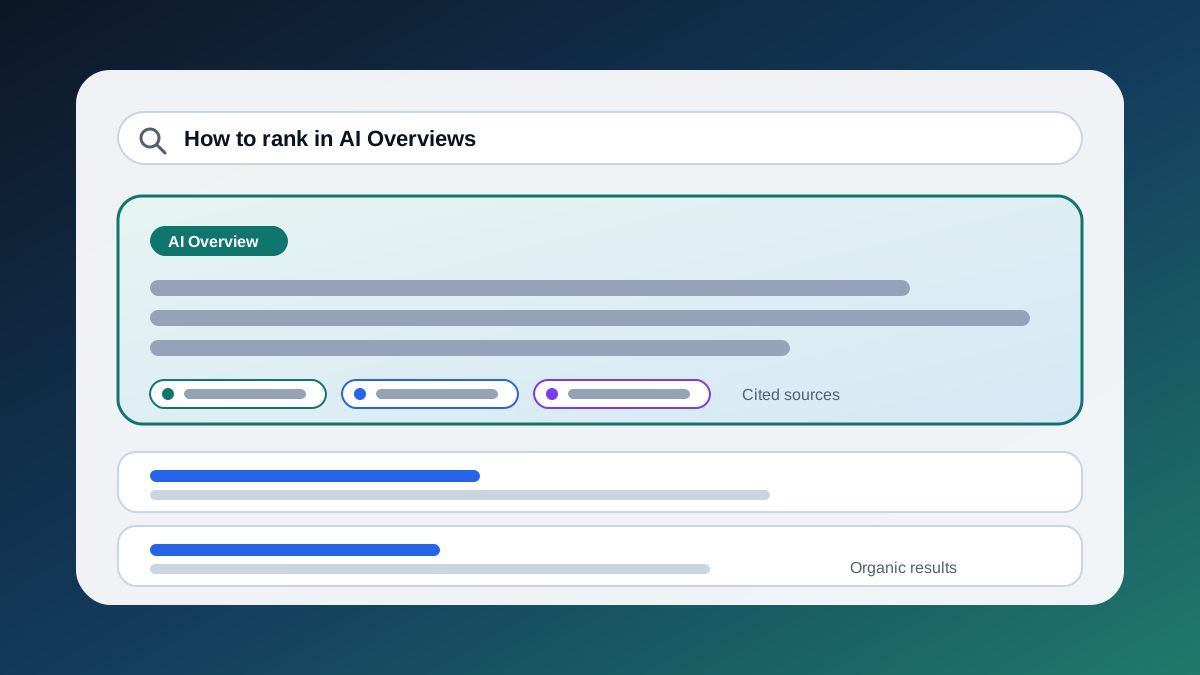
This matters because AI Overviews, AI Mode, and Discover can surface links in ways that do not behave exactly like a classic blue-link ranking report. A page can be useful inside a generated answer even when its traditional keyword position looks less exciting.
Why Does AI Search Reporting Change SEO Measurement?
Google's current AI optimization guide says this work is still SEO. Pages must be indexed and eligible for snippets, and the site must be included through the Search Console Search generative AI control. Inclusion is the default; child properties may inherit a parent's setting. Check the actual property setting before diagnosing missing visibility. Inclusion makes content eligible; it does not guarantee display.
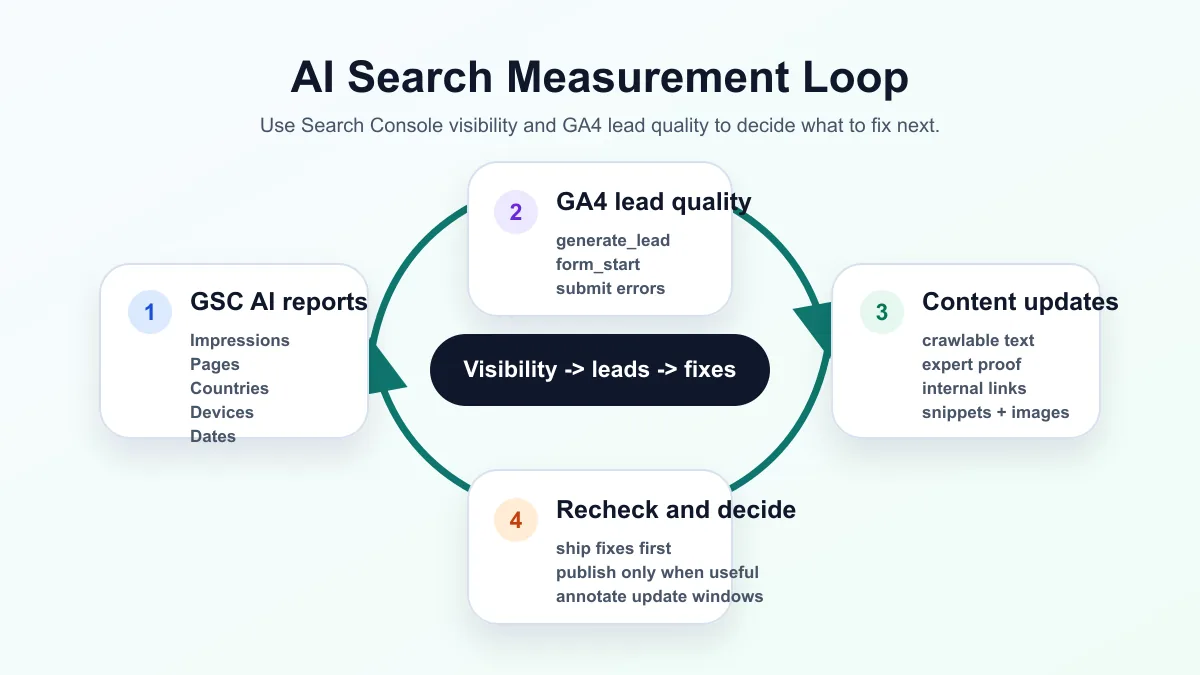
The change is not "write for robots." The change is that Search Console may now expose where your pages are being used in generative search experiences. That gives you a sharper diagnosis loop:
- Find which pages receive AI impressions.
- Review overall traffic and GA4 lead events for those pages, keeping their attribution limits explicit.
- Improve the page's crawlable text, internal links, evidence, media, and conversion path.
- Recheck Search Console visibility and GA4 lead quality after the next crawl and reporting window.
What Should Site Owners Track First?
Start with the smallest set of metrics that can lead to a real decision.
| Signal | What It Tells You | First Decision |
|---|---|---|
| AI impressions | Which URLs appear in generative AI features | Decide whether the right pages are visible |
| Pages | Which content assets are being surfaced | Strengthen high-potential pages before creating more |
| Countries | Where visibility is happening | Align content, examples, and calls to action by market |
| Devices | Whether AI visibility differs by device | Check mobile layout, snippets, and page speed first |
| Dates | Whether changes line up with updates or releases | Annotate site changes, Google updates, and content launches |
| GA4 leads | Which landing pages and recorded acquisition channels produce inquiries | Validate lead events; do not attribute them to AI impressions alone |
Compare consistent periods and page URLs, and account for time zones, canonical URL aggregation, preliminary data, and analytics consent gaps. A page can receive AI impressions without receiving visits. If leads are absent, first check traffic volume, acquisition channels, and whether the form and tracking work before deciding that the content or offer needs changing.
For service businesses, connect this report to the pages that already have commercial intent: technical SEO audits, AI SEO content systems, Toronto SEO services, and the pages that explain why a site is indexed but not ranking.
Which Strategies Are Currently Effective?
The strongest AI search strategy is boring in the right ways: make important content crawlable, unique, well-linked, and measurable. Then keep improving the pages that show actual visibility or lead potential.
How Should You Interpret Changes Around Google Updates?
Do not respond to AI search reporting by flooding the site with thin AI-generated pages. Google warns that creating variations mainly to manipulate rankings or generative AI responses can violate its scaled content abuse policy.
Also watch for update overlap. The May 2026 core update finished on June 2, one day before the generative AI reports announcement. If visibility changed in late May or early June, annotate both dates before assigning cause.
The practical "do not do this" list:
- Do not publish thin AI pages just to cover every query variation.
- Do not claim expertise the business cannot prove with visible experience, examples, or process.
- Do not add structured data that is not supported by visible page content.
- Make important text accessible in the rendered page, and verify that required resources are not blocked.
- Do not use back-button hijacking, aggressive interstitials, or deceptive navigation to trap users.
- Do not let huge HTML, inline scripts, mega menus, or base64 media push critical content too far down the document.
- Do not treat impressions as success if GA4 shows no qualified engagement or lead activity.
Check Google's spam policies when reviewing deceptive navigation or scaled content. Use rendered-page inspection to investigate missing content instead of assuming that every large page or JavaScript interaction prevents indexing.
What Is The First 30-Day Action Plan?
Week 1: Baseline the measurement. Export a complete reporting period, check the AI inclusion setting, and record whether there is enough data for the AI report. Review page visibility alongside overall traffic and GA4 lead events. Annotate releases and Google updates that fall within the period being compared.
Week 2: Repair the highest-intent pages. Start with crawlability, indexability, title links, meta descriptions, internal links, structured data alignment, image alt text, and page speed. If a page has impressions but weak engagement, improve the answer and CTA before writing a new article.
Week 3: Build evidence-rich supporting content. Use the pattern from AI SEO strategy: explain the system, show the implementation logic, and connect the post to a service path. Each article should answer a real buyer question and link to the page that can help the reader act.
Week 4: Improve conversion diagnosis. Check form starts, lead events, contact-form submissions, start-project submissions, and form error events by landing page. If a page has visits but no qualified inquiries, validate tracking and inspect intent match, proof, and form friction. AI impressions alone cannot identify the cause.
How Should A Business Use This Page?
If you own a service business, your priority is not to chase every AI search acronym. Your priority is to make your best expertise easy for Google to crawl, easy for buyers to understand, and easy for your analytics to connect to revenue.
For ValeoFX clients, that usually means a combined technical SEO audit and AI SEO content system: fix the crawl and measurement foundations first, then publish evidence-backed pages that support real service demand.
Ready to turn Search Console and GA4 into a practical growth plan? Start a technical SEO and AI search audit.