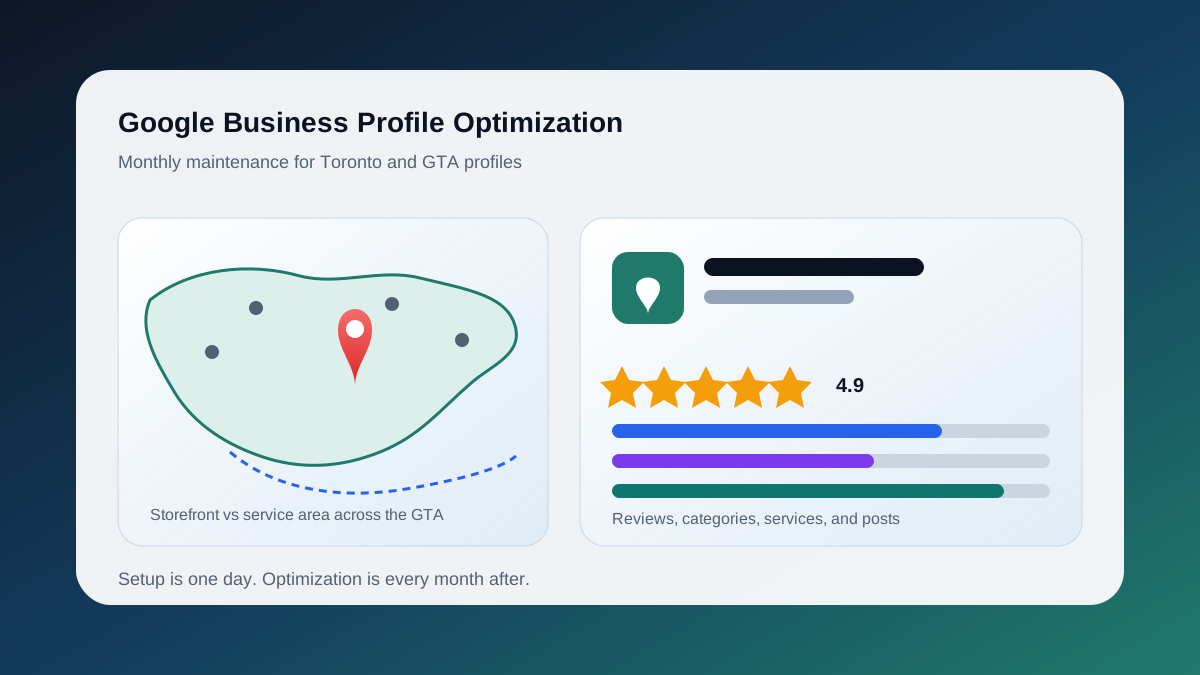
Google Business Profile optimization is the ongoing work of keeping a claimed, verified profile accurate, complete, and active so it stays eligible for Toronto map pack results and keeps converting the people who find it. Initial setup is a one-time job: claim the listing, verify it, pick a category, add hours and photos. Optimization is what happens every month after that. It covers category and services decisions, attributes, Q&A, review velocity and responses, photo and post cadence, performance data, defending the profile against spam and bad suggested edits, and configuring locations and service areas across the GTA without tripping a suspension. If you have not claimed or verified your profile yet, start with our Local SEO Setup for Toronto Small Businesses guide. This tutorial assumes the basics are done and covers the routine that keeps a profile competitive while rivals on Queen West or in Mississauga keep theirs current.
Why does ongoing optimization matter more than setup?
Because Google Business Profile signals carry the largest share of local pack weighting, and most of those signals are behavioural or time-sensitive. A profile that was perfect in April but has no new reviews, photos, or accurate hours by September looks abandoned to both Google and searchers. Maintenance keeps the profile competitive.
Whitespark's 2026 Local Search Ranking Factors report, published November 6, 2025, puts Google Business Profile signals at roughly 32 percent of local pack weighting and review signals at roughly 20 percent, noting that review and behavioural signals grew year over year (Whitespark). Those two groups are more than half of what surveyed experts believe drives map pack visibility, and both are things you influence monthly rather than once. None of this guarantees a map pack position, but neglecting it is a reliable way to lose one to a competitor on the Danforth who kept going.
How should you handle category strategy after setup?
Revisit your primary category quarterly and treat additional categories as a precision tool, not a keyword dump. Google allows one primary category plus up to nine additional ones, and recommends using as few as possible to describe the core business. Check what top-ranking Toronto competitors use and align where it is honest.
Google's category help says the primary category should describe the business as a whole and that owners should use restraint when adding more (Google Business Profile Help). The primary category is the strongest single relevance signal on the profile, so this is where most wins and losses happen.
Each quarter, search your three most valuable queries from a Toronto location and note the primary category of each map pack result (a browser extension like GMB Everywhere exposes it). If every competitor uses a more specific category, for example "Emergency plumber" rather than "Plumber", test switching. Category changes can trigger re-verification, so change one field, wait, and watch. Remove additional categories for services you rarely sell; they dilute relevance. Google adds and retires categories through the year, so check for better fits that did not exist at setup.
What goes in the services and products sections?
Every service you actually deliver, named the way Toronto customers search for it, with a short plain-language description. Products are for physical or packaged offerings with prices. Both sections feed relevance for queries beyond your primary category and give Google structured evidence of what the business does.
Google pre-populates suggested services from your categories, and most owners accept those and stop. Instead, add custom services that match real search language: "Furnace repair Scarborough" is not a service name, but "Furnace repair" with a description that mentions the neighbourhoods you cover is. Give each one or two sentences on outcome and constraints (same-day, residential only), and keep prices honest or blank. A "from $99" price nobody pays is a review complaint waiting to happen.
Products suit retailers, restaurants, and packaged service offers; they show as a mobile carousel, so image quality matters most. Attributes vary by category (accessibility, online appointments, identity). Fill in everything true, and check monthly for attributes Google added from user feedback.
How do you use Q&A, posts, and photos without wasting time?
Seed the Q&A with the five to ten questions your front desk answers every week, post once or twice a month with real updates, and add a handful of new photos on a monthly cadence. The goal is a profile that looks staffed, not a content calendar for its own sake.
Q&A. Anyone can ask and answer, including competitors, so seed it yourself from the business account and upvote your answers. Typical Toronto questions: parking, whether you serve Vaughan or Markham, walk-ins, TTC access, payment methods. Check monthly, because Google does not reliably notify owners.
Posts. Posts suit time-bound information: holiday hours, a new service, a seasonal offer, a completed project. Google frames posts as customer-facing updates rather than a ranking mechanism (Google Business Profile Help). One or two real posts a month beats four generic ones; a stale February offer visible in September signals neglect.
Photos. Relevance beats volume. Add exterior shots in different seasons so the storefront is recognisable in January snow and July heat, plus interior, team, and completed-work photos. Add three to five a month and remove anything outdated.
What should you track in Performance insights?
Track calls, direction requests, website clicks, and message conversations monthly, plus the search queries report. Compare the same month year over year rather than month to month, because Toronto seasonality is strong. Look for trends across three months before reacting to any single drop.
The Performance report covers a trailing six months. The most useful views: searches showing your profile, split into direct (brand) and discovery (category or product), where growing discovery searches is the clearest sign that category and services work is paying off; search queries, which often include neighbourhood names you can reuse in services descriptions; and calls, directions, and website clicks, the last cross-referenced with Google Analytics via a UTM-tagged profile URL. Export to a spreadsheet monthly; the dashboard rolls off older data and you need a twelve-month trend.
How do you fight spam and defend against suggested edits?
Check the profile monthly for Google updates, report competitor listings that violate guidelines, and keep your own information stable so edits from the public do not overwrite it. Google applies changes from user reports and licensed data, and not every change can be managed from the dashboard.
Google's documentation confirms the profile can be updated from user reports and licensed content, and that owners cannot manage every Google-applied update from the dashboard (Google Business Profile Help). In the editor, information changed by Google shows in blue. Correct it, and if the same change keeps returning, fix the upstream source, usually an old directory listing.
Toronto map spam concentrates in locksmiths, garage doors, movers, personal injury law, and cleaning. If you compete there, spend thirty minutes a month reporting keyword-stuffed names such as "Best Plumber Toronto Emergency 24/7" (the most common violation and the most successfully removed), fake addresses including virtual offices, and duplicate listings at slightly different addresses. Use the Business Redressal Complaint Form rather than "Suggest an edit", and document each submission. Removing one spam listing above you is often worth more than months of on-profile work.
How do you configure multiple locations and GTA service areas?
Storefront businesses get one profile per physical location with staff present during stated hours. Service-area businesses hide the address and set up to 20 service areas within roughly two hours of driving. Hybrid businesses show the address and set service areas. Never create a profile for an area you do not have a real location in.
Google's guidance sets the limit at 20 areas, advises the overall area stay within about two hours of driving time from the base, and says businesses that do not serve customers at their address should remove it and show only the service area (Google Business Profile Help). Hybrid businesses can show the address and a service area together.
For the GTA, three patterns cover most businesses:
Single storefront in Toronto. One profile, address visible, no service areas unless you also deliver or travel. A clinic at Yonge and Eglinton does not need North York listed; proximity handles that.
Service-area business in the suburbs. A landscaper working from a yard in Brampton should hide the address if customers never visit, then list the municipalities it genuinely serves: Brampton, Mississauga, Caledon, Vaughan, Etobicoke. Adding all of Toronto plus Oshawa dilutes proximity signals without creating rankings where the truck rarely goes.
Multiple real locations. Offices in Markham and downtown Toronto get two profiles, each with its own address, phone, hours, and a landing page matching those details exactly. Opening a second "location" at a mailbox or coworking address in a target city is the common mistake, and exactly what the suspension process targets.
What causes suspensions, and how do you avoid them?
Suspensions most often follow too many edits to core fields at once, an ineligible address, a suspended manager account, duplicate listings, or operating in a spam-heavy category. Avoid them by changing one core field at a time, keeping the address legitimate, and never recreating a suspended profile.
Sterling Sky, which handles reinstatements for a living, lists excessive edits to important fields, no legitimate physical presence, a suspended owner or manager account, duplicate listings, and spammy industries as the top causes, and reports that appeal wait times, normally about a week, stretched to five to six weeks in early 2025 (Sterling Sky). For a seasonal GTA business, that can mean losing a whole spring of calls.
Defensive habits:
- Change only one of name, address, category, or website at a time, then wait a week.
- Keep verification records; appeals ask for a business licence, signage photos, and utility bills matching the address.
- Audit owner and manager access quarterly. A suspended former employee or agency account can take your profile down with it.
- Never create a new profile while one is suspended, and submit one complete appeal rather than several.
How do you build review velocity and respond well?
Ask for reviews consistently rather than in bursts, respond to every review within a few days, and never trade anything for a review. BrightLocal's 2025 survey found 89 percent of consumers expect responses to both positive and negative reviews, and 83 percent use Google to read reviews of local businesses.
Both figures are from BrightLocal's Local Consumer Review Survey 2025 (BrightLocal, reported March 4, 2025 by SearchLab Digital). Ten reviews in one week followed by eight months of silence looks manufactured, and Google's filters treat it that way. Two to four a month, every month, is healthier for most Toronto small businesses than a quarterly push.
Response guidelines that hold up:
- Reply to positive reviews in one or two sentences without stuffing keywords or neighbourhood names into every reply.
- Reply to negative reviews with a short acknowledgement, a factual correction if warranted, and an offline path to resolution. Do not argue.
- Flag policy violations and move on; most flagged reviews are not removed.
- Ask customers to review from their own device after they leave. Reviews from new accounts, the business wifi, or a sudden spike get filtered.
What should the monthly maintenance checklist look like?
Thirty to sixty minutes a month covers everything that matters if you work from a fixed list rather than reacting to notifications. The table below is the routine we run for local clients, including the EuroMotors work, scaled to how many reviews and edits each profile receives.
| Task | Cadence | What to check |
|---|---|---|
| Google updates and suggested edits | Monthly | Blue-highlighted fields; correct and trace repeat edits to source |
| Hours and special hours | Monthly, plus before holidays | Ontario statutory holidays, seasonal changes |
| Reviews | Weekly | Respond to all new reviews; flag policy violations |
| Review requests | Ongoing | Confirm the link is sent after every completed job |
| Q&A | Monthly | Answer new questions; add one or two seeded questions |
| Photos | Monthly | Add three to five current images; remove outdated ones |
| Posts | One to two per month | Remove expired offers; post real updates only |
| Services, products, attributes | Quarterly | Add new services, update prices, remove discontinued items |
| Categories | Quarterly | Compare with top three map pack competitors |
| Performance export | Monthly | Calls, directions, clicks, discovery searches; log to spreadsheet |
| Spam reports | Monthly | Report keyword-stuffed names and fake addresses |
| Access and service areas | Quarterly | Remove former staff and agencies; match areas to real jobs |
If you manage several GTA profiles, run the checklist per location with one shared log so Mississauga and Toronto do not drift apart. Profile maintenance also needs a fast website and location pages that match the profile; see Local SEO vs Technical SEO for Toronto Businesses. If you would rather hand the routine to a team that does it monthly, our Toronto SEO services include profile management alongside the technical work.
Keep the Thread Going
- Service path: Toronto SEO Services
- Setup guide: Local SEO Setup for Toronto Small Businesses
- Budget guide: How Much Does SEO Cost in Toronto?
- Ready to fix the search foundation? Start a project