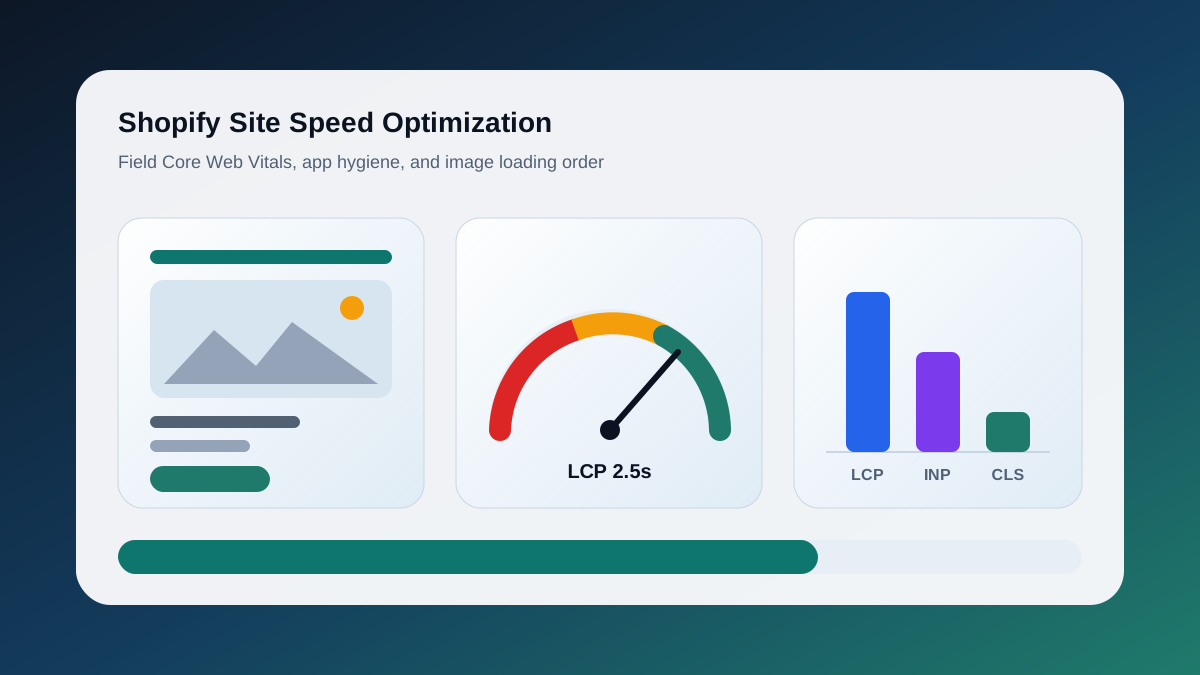
Shopify site speed optimization is the work of making a hosted Shopify storefront load, respond, and settle faster for real shoppers, measured by Core Web Vitals rather than by a single score. Because Shopify owns the servers, the CDN, and the checkout, you do not tune hosting, caching layers, or database queries the way you would on WooCommerce. What you do control is everything Shopify hands to the browser: the theme's Liquid and JavaScript, the apps you install and the scripts they leave behind, image sizing and loading order, fonts, and the tracking pixels layered on top. The metrics that matter are the three field Core Web Vitals: Largest Contentful Paint (LCP) for loading, Interaction to Next Paint (INP) for responsiveness, and Cumulative Layout Shift (CLS) for stability, each judged at the 75th percentile of real visits. This guide walks through how we measure a store, where the weight usually sits, what to fix first, and how to confirm the fix landed in Chrome's field data.
Why Does Shopify Speed Still Matter When Shopify Hosts Everything?
Shopify handles delivery well, but delivery is only part of a page load. Most of what a shopper waits on is theme JavaScript, app scripts, oversized images, and pixels running in their browser. Those are merchant decisions, and they are where slow Shopify stores lose revenue, not at the server.
Shopify's platform documentation describes a Cloudflare-backed CDN, Brotli compression, and HTTP/3, which is why time to first byte is rarely the problem. The commercial case for fixing the rest is documented. Google and Deloitte's "Milliseconds Make Millions" study (web.dev, 2020) found a 0.1 second improvement in mobile speed increased retail conversion rates by 8.4 percent across 37 brands. Vodafone's 2021 web.dev case study reported an 8 percent sales increase after a 31 percent LCP improvement. We do not promise those numbers to any client, but they explain why speed belongs beside pricing and photography. If you also run WooCommerce, the WordPress and WooCommerce speed guide covers the hosting layers Shopify removes.
How Do You Measure Shopify Speed Properly?
Use field data to find problems and lab data to debug them. Shopify's web performance reports and Chrome's CrUX dataset show what real shoppers experienced at the 75th percentile. PageSpeed Insights and Lighthouse show one simulated load. The Shopify speed score is lab data, so treat it as a hint, not the target.
Shopify's own theme testing documentation says Lighthouse scores can differ significantly from real user monitoring data, and recommends field data to find problems, lab data to debug them, and field data again to verify.
Field data: the Web performance dashboard in Shopify admin reports LCP, INP, and CLS from real users over the past 30 days, delayed up to 36 hours. The CrUX panel in PageSpeed Insights shows the same metrics from Chrome users over a 28 day rolling window. Search Console groups URLs by status.
Lab data: PageSpeed Insights runs Lighthouse on a throttled mobile profile and shows the LCP element and blocking scripts. The Shopify speed score is also Lighthouse-based, recalculated daily from your home, product, and collection pages in Shopify's test environment. It never sees your shoppers' devices, networks, or post-consent pixels.
Google's thresholds are 2.5 seconds for LCP, 200 milliseconds for INP, and 0.1 for CLS at the 75th percentile. Record the current mobile field values for each template before you change anything.
Which Apps and Leftover Scripts Are Slowing the Store?
Apps are the most common cause of poor INP on Shopify. Each one can inject scripts into every page, and many leave code behind after uninstall. Audit the network tab, map each script to an app, remove what the store no longer uses, and clean up orphaned snippets in the theme.
Open a product page in DevTools, filter the network panel by JS, and sort by size. On a store with 25 apps we regularly see 60 or more script requests, several from apps abandoned months ago.
- Installed apps. Reviews, upsells, wishlists, timers, and popups each add JavaScript. Admin-only apps should load nothing on the storefront.
- App embeds. In the theme editor, switch off embeds that are not earning their place; embeds from uninstalled apps can persist.
- Theme code. Older apps wrote snippets into
theme.liquid, and uninstalling does not remove them. Search for{% rendercalls you do not recognize and<script srctags pointing at app domains.
Shopify is tightening this. Its developer documentation states script tags with an all or order_status scope could not be created after February 1, 2025, and stop running on the Order status page for all remaining stores on August 26, 2026. Theme app extensions and web pixels are the supported path. If you cannot name the revenue an app produced last quarter, it does not get to add 80 KB of JavaScript to every page.
How Much of the Problem Is the Theme Itself?
The theme decides how much JavaScript ships before a shopper can tap anything. Heavy themes bundle sliders, animations, and quick-view modals globally. Fixing that means loading section scripts only where the section renders, deferring non-critical code, and keeping Liquid loops light so the server-rendered HTML arrives quickly.
Shopify's theme performance documentation is direct: too much JavaScript, loaded at the wrong time or written inefficiently, is one of the primary causes of poor INP. The Theme Store requires a minimum Lighthouse score of 60 across home, product, and collection pages, before any apps are added.
- Global versus section scripts. Online Store 2.0 sections can load their own script with
{{ 'section-name.js' | asset_url | script_tag }}, so it only runs where the section renders. Anything intheme.liquidruns everywhere. deferand modules. Scripts not needed before first paint should carrydefer;type="module"scripts are deferred by default.- Position-aware loading.
section.indexandsection.locationlet a section load eagerly above the fold and lazily below it. - Liquid cost. Nested loops over large collections and metafield-heavy cards slow rendering. Do not loop every variant to draw a badge.
If the theme is several major versions behind, updating often removes more JavaScript than hand tuning.
How Should Images Be Handled on Shopify?
Serve images through Shopify's CDN with explicit widths, let image_tag generate the srcset, lazy-load only below-the-fold images, and give the LCP image fetchpriority="high" with no lazy attribute. Most Shopify LCP problems come from a hero or first product image that is oversized, lazy-loaded, or both.
Shopify recommends the image_url and image_tag filters because they generate srcset, add width and height, and serve from the CDN with format conversion. A hero rendered with {{ section.settings.image | image_url: width: 1600 | image_tag: widths: '600, 900, 1200, 1600', sizes: '100vw', loading: 'eager', fetchpriority: 'high' }} gives every device a right-sized candidate and fetches it first.
- Never lazy-load the LCP candidate. Shopify's guidance is explicit:
loading="lazy"only on images outside the initial viewport. Many themes lazy-load the hero by default. - Cap widths to the layout. A card rendered at 360 px does not need a 2048 px source.
- Reserve space. Keep the generated
widthandheightor setaspect-ratioin CSS. This is the biggest CLS fix on collection pages. - Avoid CSS background heroes and autoplay video. Backgrounds are discovered late; use an
<img>or a preload link. Serve a poster on mobile instead of video.
What About Fonts, Pixels, and Tag Managers?
Fonts and third-party tags are the quiet contributors to CLS and INP. Limit web fonts to two families, preload the one used in the hero, and use font-display: swap with metric-matched fallbacks. Load pixels through a consent-aware tag manager after the page is interactive, and prune tags nobody reads.
Fonts. Shopify's documentation recommends size-adjust and override descriptors on fallbacks so text does not jump on swap, and notes that system fonts remove the download entirely. We default to a system stack for body copy and one brand font for headings.
Pixels and tag managers. Meta, TikTok, Klaviyo, Hotjar, and a GTM container together can add hundreds of kilobytes and dozens of long tasks. Prefer app pixels and Shopify's web pixels API over snippets pasted into theme.liquid. In GTM, give every tag a live owner, fire non-critical tags after load, and remove duplicate GA4 installs.
Chat and popups. A chat bubble is often the heaviest single script on a store. Load it on click or after a delay.
Is Hydrogen or Headless Faster Than an Online Store 2.0 Theme?
Not automatically. Hydrogen on Oxygen gives you full control over rendering and bundles, which can produce excellent field metrics, but you inherit a codebase to maintain and lose the theme editor and many apps. A well-kept Online Store 2.0 theme with disciplined apps is fast enough for most merchants.
| Consideration | Online Store 2.0 theme | Hydrogen / headless |
|---|---|---|
| Rendering | Liquid, server-rendered by Shopify | React on Oxygen or your own host |
| Controls JavaScript weight | Theme developer plus every app | Your engineering team |
| Content editing | Theme editor, sections, metaobjects | Custom admin or CMS |
| App ecosystem | Full storefront support | Storefront API apps only |
| Checkout | Shopify checkout | Shopify checkout, same limits |
| Ongoing cost | Theme updates, app hygiene | A developer on retainer |
Headless earns its place when the product experience cannot be expressed in Liquid. For a store that simply wants better Core Web Vitals, fixing the theme and apps is cheaper. We built the GUAM storefront on a Shopify theme with custom sections so the merchant kept control of content.
Why Can't You Optimize Shopify Checkout Directly?
Shopify owns checkout. On standard plans you cannot edit its code, add scripts to it, or change its loading behaviour. That is a feature: checkout is one of the fastest parts of most stores. Your work happens before checkout, on the product and cart pages that feed it.
Checkout extensibility on Plus allows UI extensions and branding, but the performance is still Shopify's. Keep add-to-cart under 200 milliseconds INP, keep the cart page light, and move Order status tracking to web pixels before script tags stop running there.
What Should You Fix First?
Work in order of field impact per hour of effort. Fix the LCP image, remove dead apps and orphaned scripts, then tackle theme JavaScript, fonts, and tag manager hygiene. Save theme replacement and headless conversations for after the cheap wins have been measured.
| Priority | Action | Moves | Effort |
|---|---|---|---|
| 1 | Eager LCP image with fetchpriority="high" and sized srcset | LCP | 1 to 2 hours |
| 2 | Uninstall unused apps; switch off orphaned app embeds | INP, LCP | 2 to 4 hours |
| 3 | Remove leftover app snippets from theme.liquid | INP | 2 to 4 hours |
| 4 | Add width/height or aspect-ratio to card images | CLS | 1 to 2 hours |
| 5 | Move global scripts into sections; add defer | INP, LCP | 4 to 8 hours |
| 6 | Cut to two font families with metric-matched fallbacks | CLS, LCP | 1 to 2 hours |
| 7 | Audit GTM; fire non-critical tags after load | INP | 2 to 4 hours |
| 8 | Delay chat and popup widgets until interaction | CLS, INP | 1 hour |
| 9 | Update theme to the current major version | All | 1 to 3 days |
| 10 | Evaluate Hydrogen only if needs remain after 1 to 9 | All | Weeks |
Ship one group at a time and note the date. Field data cannot tell you which of five simultaneous changes helped.
How Do You Verify the Improvement in CrUX Over 28 Days?
CrUX reports a 28 day rolling window, updated daily. A fix shipped today shows fully after about four weeks, with partial movement sooner. Compare the 75th percentile LCP, INP, and CLS values for the same template and device type before and after, and confirm the change in Search Console.
The CrUX API documentation describes the data as a 28 day rolling average updated daily around 04:00 UTC. So the day after a fix, 27 of 28 days still contain the old experience, and a second change ten days later blurs attribution.
- Record the baseline on ship day: the CrUX panel for home, collection, and product URLs on mobile, plus Shopify's dashboard.
- Check at day 7 and 14. The p75 should be drifting. If nothing moves, the fix probably missed the template most shoppers hit.
- Confirm at day 28. Compare the distribution, not just p75: moving the good bucket from 55 to 75 percent of loads is a real win.
- Cross-check Search Console and watch Shopify's dashboard for regressions after each new app.
Low-traffic templates may lack URL-level CrUX data; fall back to origin-level data. If field LCP stays above 2.5 seconds or INP above 200 milliseconds after the table is done, that is a scoping problem, and we work through it with Shopify merchants in Toronto and across Canada from their own field data.
Keep the Thread Going
- Service path: Shopify Development Toronto
- Technical audit path: Technical SEO Audit Toronto
- Related guide: WordPress and WooCommerce Speed Optimization
- Ready to fix the search foundation? Start a project