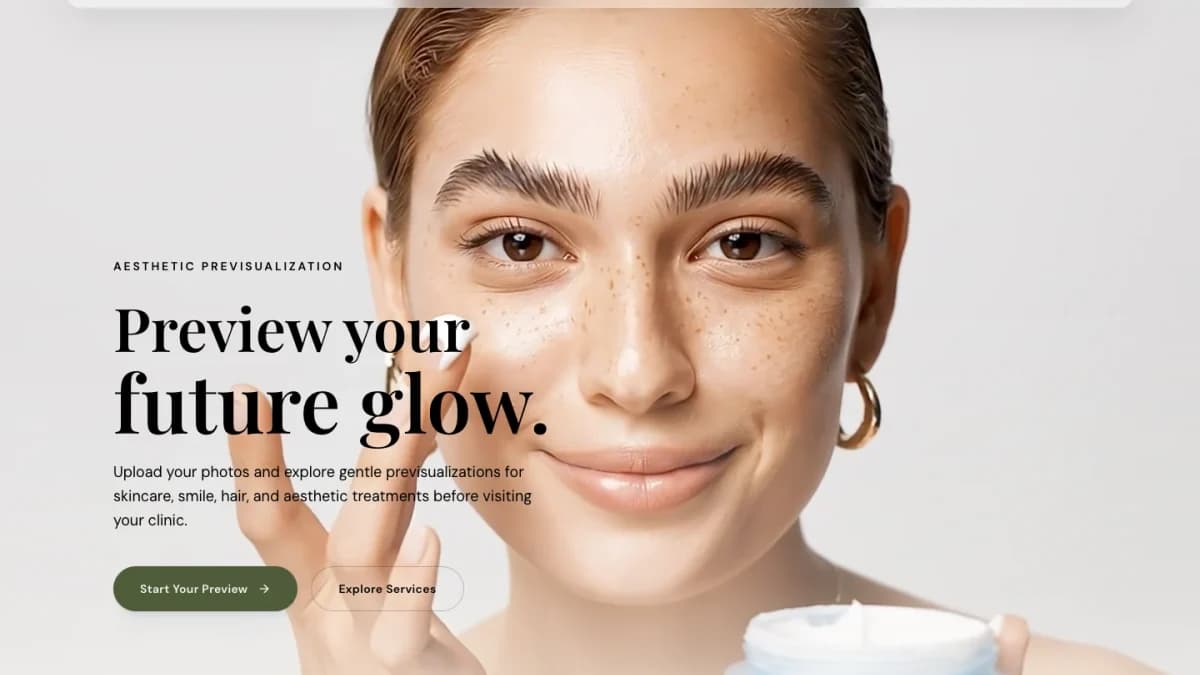
Céleste is a premium AI aesthetic previsualization MVP for clinics, medical spas, and luxury beauty brands that want a consultation flow to feel visual, calm, and credible before a client books.
This case study focuses on public product evidence: desktop and mobile screenshots, privacy-aware UX, and the decisions that make an AI consultation flow feel credible before a visitor books.
Instead of pushing visitors straight into a generic product grid or appointment form, the experience leads with a polished brand moment, then moves users toward an image-led preview workflow. That matters for aesthetic services because trust is built through clarity, visual quality, and how safely the product asks for personal information.
What the MVP Needs to Communicate
For a clinic-facing AI product, the first screen has to do more than look expensive. It has to answer three buyer questions quickly:
- Is this experience premium enough for my clients?
- Does the interface make the consultation feel guided instead of risky?
- Can this become a qualified lead or booking path for the clinic?
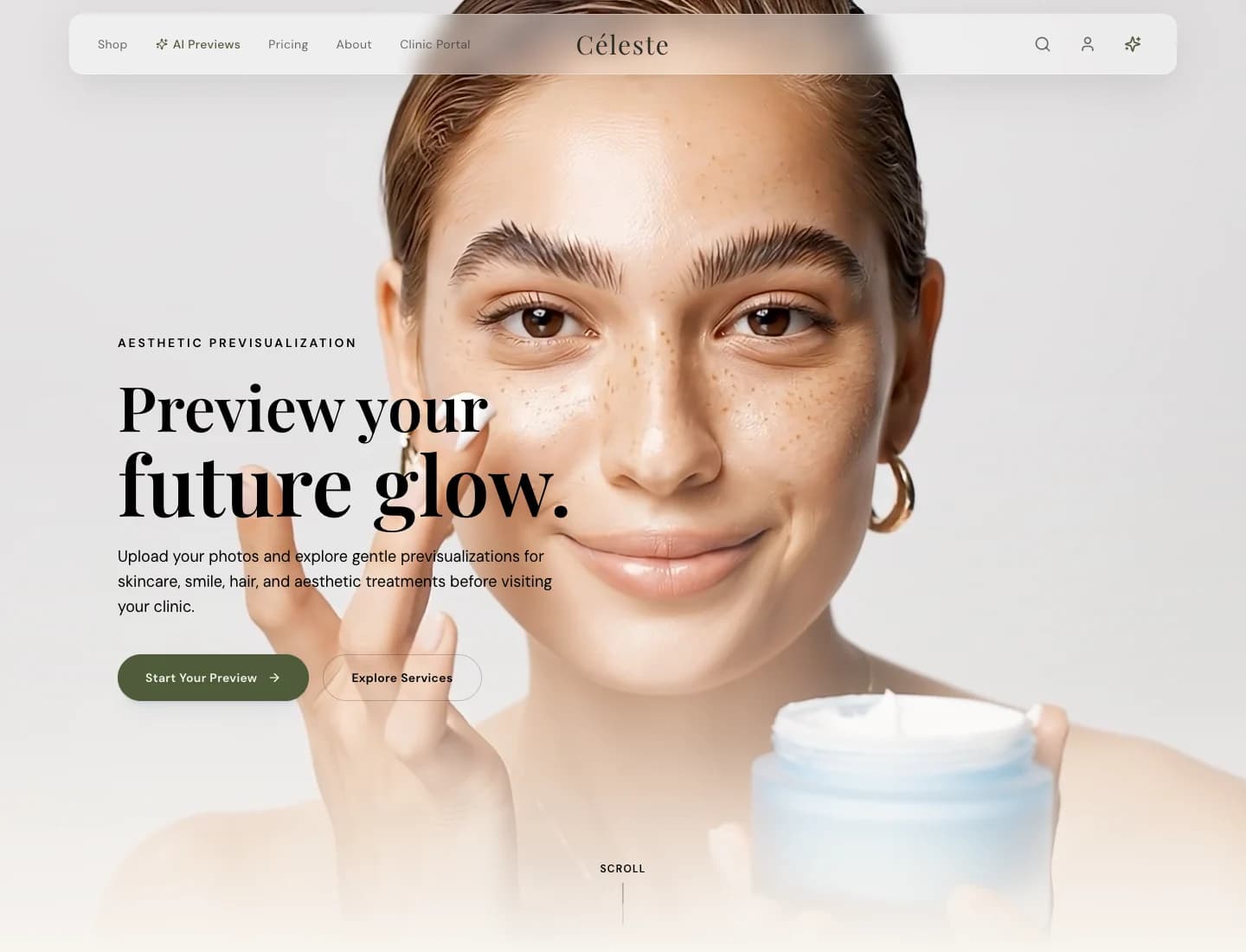
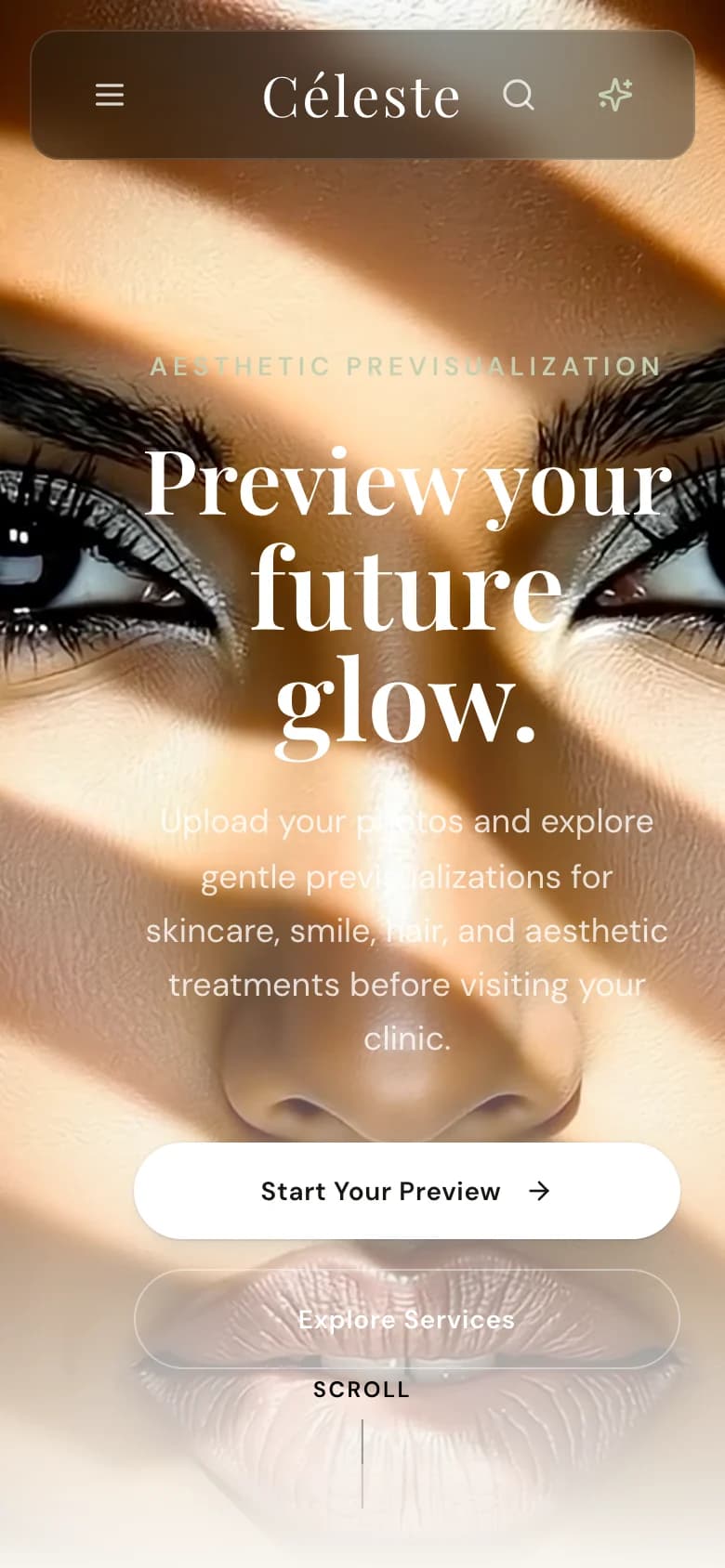
Céleste answers those questions with a restrained editorial hero, large visual treatment space, clear preview language, and direct calls to action for starting a preview or exploring services.
The mobile screenshot is just as important as the desktop screenshot because clinic discovery often starts from social, ads, local search, or a referral link opened on a phone. Google uses mobile-first indexing, so the mobile experience cannot be an afterthought.
Privacy-Aware Product Storytelling
AI aesthetic products can drift into dangerous territory when public marketing reveals too much about storage, upload handling, internal dashboards, or private implementation details.
For a public article, the safer framing is:
- describe the user journey and business value
- show real product screenshots
- explain privacy expectations at a high level
- avoid internal filenames, storage URLs, tokens, credentials, model prompts, dashboard routes, or operational playbooks
- avoid showing patient data, private clinic workflows, or unreleased product controls
That balance still gives searchers and buyers useful information. It simply keeps the article from becoming accidental documentation for the wrong audience.
For any real clinic deployment, this is not cosmetic. Upload flows that touch faces, bodies, health context, or treatment interest need written consent, a clear retention and deletion policy, and a privacy review that matches the clinic's jurisdiction. In Canada, the Office of the Privacy Commissioner of Canada explains meaningful consent and retention/disposal expectations for personal information. This article is product-design commentary, not medical, legal, or clinical advice.
UX Lessons From the Build
The most useful lesson from Céleste is that an AI consultation product should feel like a guided service, not a novelty demo.
The strongest interaction pattern is progressive disclosure: start with the outcome, then ask for only the next piece of information the user needs to provide. For aesthetic previsualization, that means the upload and preview moments should be framed with plain language, strong empty states, and visible reassurance around how images are used.
The visual system also needs to support both luxury and clinical clarity. High-contrast typography, spacious calls to action, and predictable navigation help the product feel premium without making the next step ambiguous.
SEO Value of a Refreshed Case Study
Refreshing this page is a better SEO move than leaving a code-heavy article live. Google Search guidance consistently rewards helpful, reliable, people-first content, and image guidance recommends clear, high-quality images placed near relevant text with descriptive alt text.
This updated version improves the page in four ways:
- it replaces implementation snippets with actual product evidence
- it keeps the page focused on the searcher's decision, not the developer's source code
- it includes desktop and mobile screenshots near the discussion they support
- it refreshes the review date after a meaningful content improvement
The target search intent is now clearer: founders, clinic operators, and product teams researching AI aesthetic previsualization, luxury clinic UX, or privacy-aware AI product design can understand the shape of the work without seeing anything sensitive.
What We Would Improve Next
The next product pass should keep tightening the bridge between visual trust and measurable conversion.
Required follow-up work before a real upload workflow should include:
- analytics events for preview starts, service exploration, and booking intent
- consent-aware upload microcopy before any personal image step
- mobile performance checks on the hero media and navigation
- clearer handoff between consumer preview interest and clinic intake review
- Search Console monitoring after the content refresh to confirm the new snippet and image signals are being picked up
None of those require public code snippets. They are product, measurement, and privacy improvements that can be explained safely.
Keep the Thread Going
- Service path: Custom Web Development
- Related read: E-Commerce that Converts: Design Systems for Luxury Brands
- Ready to scope your own version? Start a project