
Most Next.js projects ship with broken or missing SEO. Not because developers don't care — because the App Router changed how all of it works and the official docs spread the answers across a dozen pages. This guide consolidates everything I set up on every production site into one place.
Use this when you're starting a new App Router project or auditing an existing one.
Metadata API — Title Templates, Descriptions, and Keywords
The App Router replaces the old head-management pattern with metadata exports. Set a site-wide default in the root layout, then override per route with the exact title, description, keywords, canonical, and social image each page deserves.
Your baseline metadata should include:
- a production metadata base URL
- a default title and title template
- a concise default description
- author or organization ownership
- route-level overrides for posts, services, and landing pages
The title template in the root layout means every page can consistently become "Page Title | Brand Name" without hardcoding the brand on every route.
Dynamic Sitemap
Create a dynamic sitemap route and include both static pages and content-driven routes.
Your sitemap should include:
- homepage, about, contact, services, work, blog, and tutorial indexes
- every published blog and tutorial
- every service and work detail page
- accurate last-modified values from content updated dates or CMS timestamps
- no draft, noindex, preview, or private routes
Don't hardcode last-modified dates for dynamic content. Pull the real significant-update timestamp from your CMS or database because Google may use lastmod when it is consistently and verifiably accurate.
Robots.ts — Production vs. Preview Environments
Never let preview deployments get indexed. Use your deployment environment to return different robots rules for production versus preview.
Production should allow public pages, disallow private or API surfaces, and point crawlers to the sitemap. Preview and development should be disallowed so staging URLs do not leak into search results.
Structured Data / JSON-LD
Structured data is the part most teams skip. Add JSON-LD through your layout or page components so crawlers can parse it from the rendered source.
Add Organization schema at the site level, then add Article and BreadcrumbList schema on editorial pages. Service pages usually need Service schema plus breadcrumbs, while work/case-study pages can use CreativeWork or Article-style schema depending on the content.
For article pages, make sure the structured data includes headline, description, publish date, modified date, author, publisher, canonical URL, image, and breadcrumb path.
Validate Google-supported rich-result markup with the Rich Results Test, then use Schema Markup Validator for generic schema.org syntax checks.
Dynamic Open Graph Images with ImageResponse
Static OG images work, but dynamic ones let every blog post and page have its own branded preview when shared on Slack or Twitter.
Next.js can co-locate dynamic Open Graph image routes next to pages and wire the social image metadata automatically. Keep the design simple: readable title, brand mark, category, and enough contrast to survive small preview cards.
Use a stable 1200x630 or 1200x675 art direction and test it in Slack, iMessage, X, LinkedIn, and Facebook debuggers before relying on it.
Canonical URLs and Alternates
Canonical URLs prevent duplicate content penalties when the same page is reachable at multiple URLs (trailing slash, query params, etc.).
Set canonicals on every page — home, service pages, work pages, blog posts, tutorials, and tools. For localized content, keep alternates accurate and only declare language variants that actually exist.
Skip canonicals and Google will guess. In audits, that guess is wrong often enough to create duplicate-content and reporting noise.
Verifying with Google Search Console
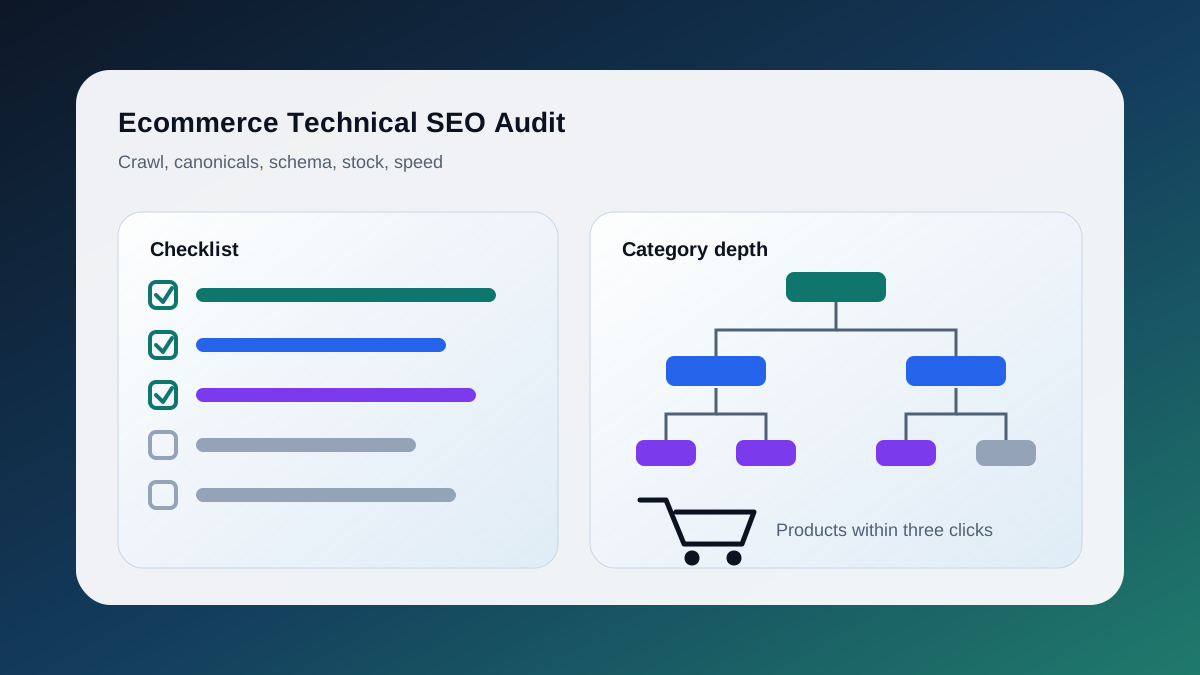
Once deployed, connect Search Console and run through this checklist before calling SEO done:
- Submit your sitemap in Search Console's Sitemaps report.
- Use URL Inspection on your homepage, a blog post, and a service page. All three should return "URL is on Google" or pass the coverage check.
- Use the Breadcrumbs enhancement and Rich Results tools to confirm structured data was parsed correctly.
- Check the indexing report for any pages blocked by robots or noindex that should be public.
- Confirm the OG image by inspecting rendered metadata and testing platform previews; use URL Inspection for crawl/indexing/rendered HTML checks, not social-preview validation.
Run a crawl with Screaming Frog or Ahrefs Site Audit after the first week of indexing to catch anything Search Console doesn't surface.
When to Bring in an Agency
This setup covers the technical layer — tags, schemas, and crawlability. It won't move rankings on its own. What actually drives organic growth is the combination of technical correctness, topical authority (consistent content targeting the right intent), and earning links from relevant sites.
If your team is shipping features and doesn't have bandwidth to run content strategy, keyword research, internal linking, and monthly audits on top of the development work, that's the right moment to bring in specialists.
ValeoFX handles the full stack — technical SEO audits, content planning, and implementation — for Toronto businesses that want search to be a reliable growth channel, not a guessing game. See the SEO services path or start with a focused technical SEO audit.
Next.js SEO Implementation Resources
- Service path: SEO Services Toronto
- Technical audit: Technical SEO Audit Toronto
- Implementation partner: Next.js Developer Toronto
- Migration path: WordPress to Next.js Migration Services
- Comparison path: SEO Services Toronto
- Migration checklist: WordPress to Next.js Migration Checklist
- Indexing diagnosis: Why Your Website Is Indexed but Not Ranking
- Related read: AI SEO Strategy
- Related public work: Aerconic
- Ready to scope your own project? Start here